When you study for an amateur radio license exam, not every question needs the same amount of attention. Some concepts click immediately. Others keep costing you points—even after several practice tests.
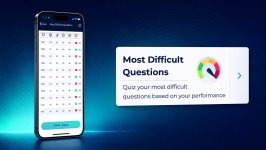
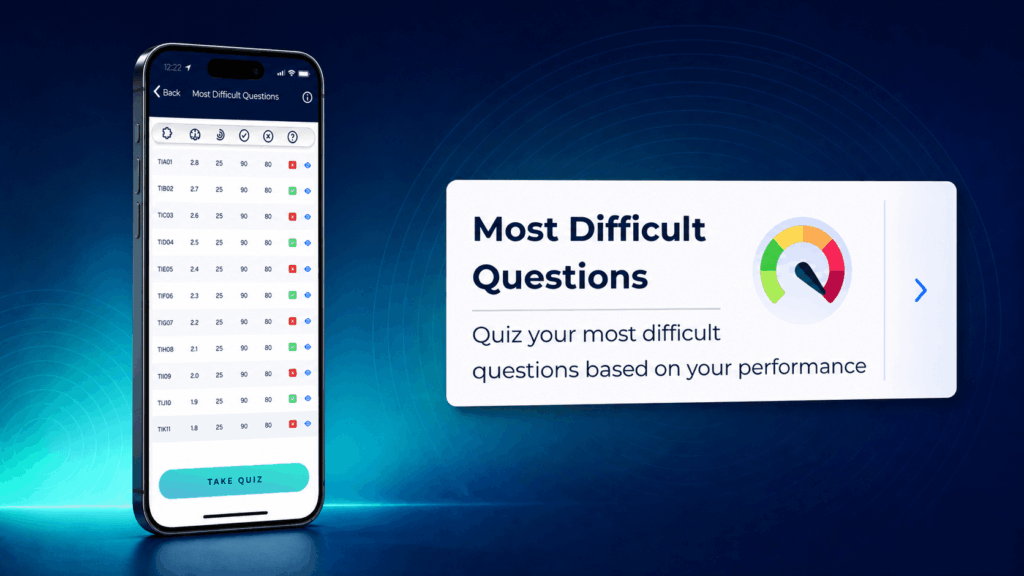
Ham Radio Prep’s Most Difficult Questions feature helps you focus on those trouble spots. It uses your personal performance history to identify the questions that have challenged you most, shows useful analytics for each one, and lets you turn them into a focused quiz. Instead of repeatedly reviewing material you already know, you can spend more time on the ham radio practice questions that need it.
In short: Take practice tests, open Most Difficult Questions, review the questions ranked by your performance, and tap Take Quiz to practice them again.
What Is the Most Difficult Questions Feature?
Most Difficult Questions is a personalized study tool in the Ham Radio Prep mobile app. The feature analyzes your past answers and organizes the questions that appear to need the most review. Your list is based on your activity, so it becomes more useful as you complete quizzes and practice tests.
This feature can help you:
-
- Find recurring weak areas without sorting through the entire question pool.
- See how often you have attempted, answered, and missed a question.
- Check whether your latest attempt was correct.
- Review the full question and your answer-choice history.
- Build a targeted quiz around the questions that challenge you most.
It is a supplement to a complete study plan—not a replacement for lessons, full-length practice tests, or understanding why an answer is correct.
How to Find Your Most Difficult Questions
-
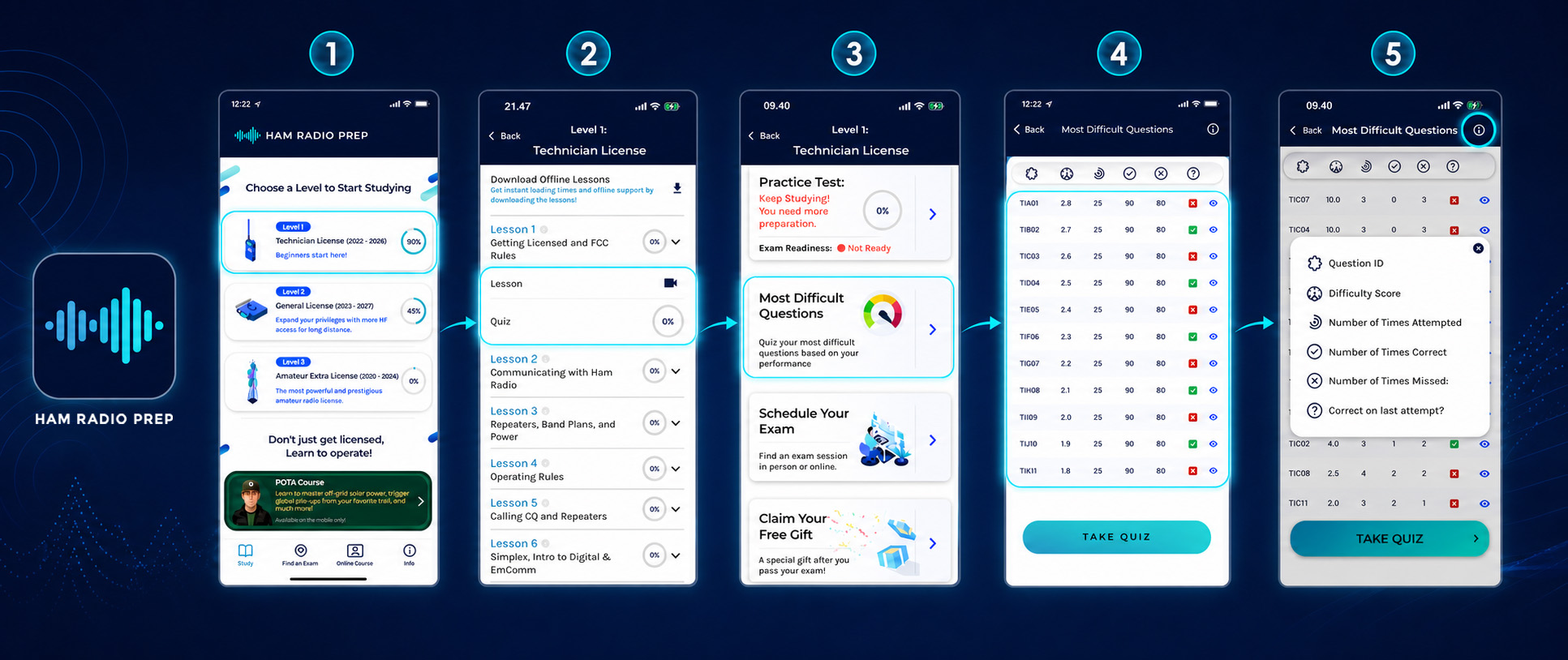
- Open the Ham Radio Prep app and select the license level you are studying for.
- Complete lessons and quizzes, so the app has performance data to evaluate.
- From the license-level dashboard, tap Most Difficult Questions.
- Review the ranked list. Questions with the highest difficulty scores appear at the top of the screen.
- Tap the information icon in the upper-right corner if you need a reminder of what each column means.
Note: Navigation, labels, and screen styling may vary slightly by app version or device.
How to Read Your Difficulty Dashboard
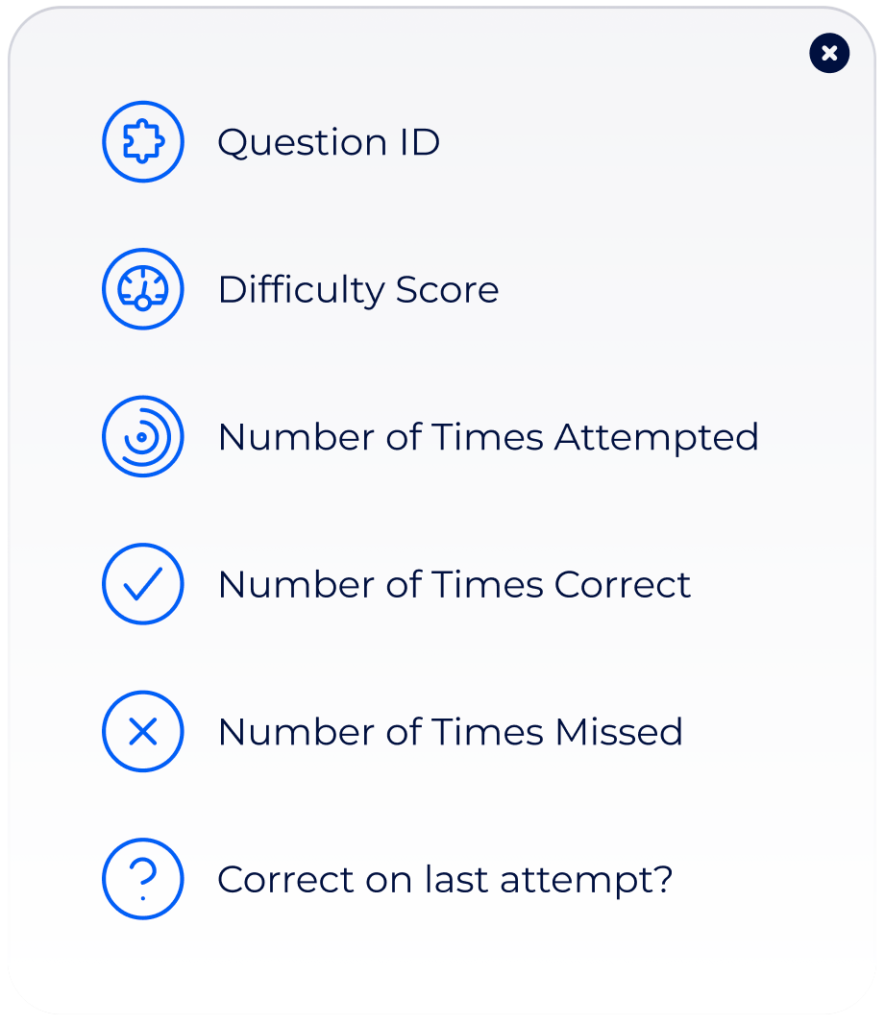
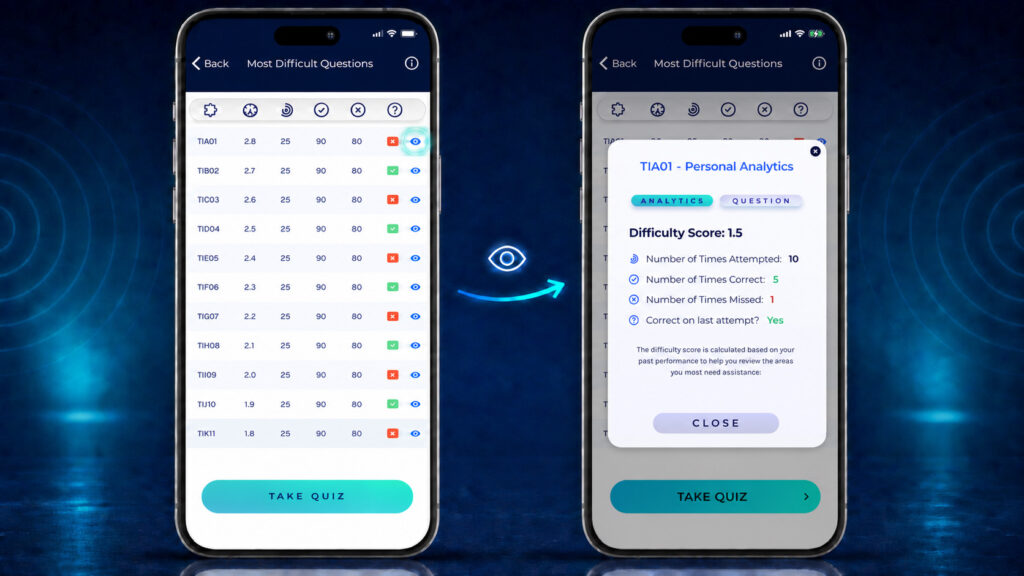
Each row gives you a compact view of one question and your history with it:
-
- Question ID: The official-style identifier used to locate the question, such as T1A01.
- Difficulty Score: A personalized score calculated from your past performance. Use it as a relative guide: a higher score signals that the question deserves more attention.
- Number of Times Attempted: How many times you have encountered the question in tracked study activity.
- Number of Times Correct: How many tracked attempts you answered correctly.
- Number of Times Missed: How many tracked attempts you answered incorrectly.
- Correct on Last Attempt?: A green check or red X shows whether your latest tracked answer was correct.
The blue eye icon at the right of a row opens that question’s detailed view.
What Does the Difficulty Score Mean?
The difficulty score is designed to help you compare questions based on your own performance. It is not a prediction of your official FCC exam score, and it does not mean that every student will find the same question difficult.
Treat the score as a prioritization signal. Start with the highest-ranked questions, but also consider the answer counts and your last attempt. For example, a high score paired with repeated misses is a strong cue to revisit the underlying lesson before trying the question again.
Review the Question Before You Retake It
Tap the eye icon to open the question detail screen. The Question tab displays the complete prompt, the answer choices, the correct answer, and your recorded answer-selection history. This helps you spot distractors that repeatedly catch your attention instead of simply memorizing a letter choice.
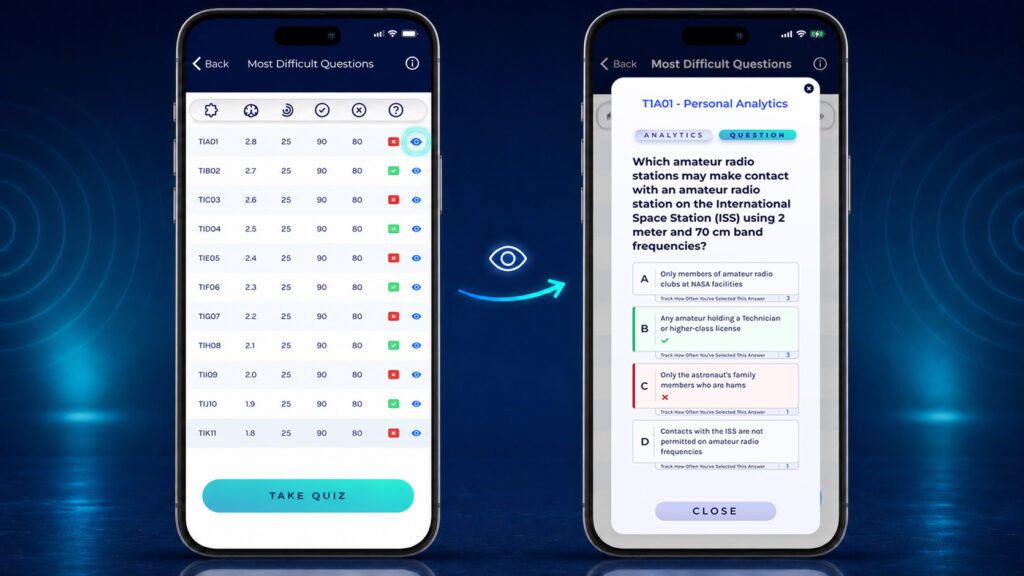
Switch to the Analytics tab for a summary of the question’s difficulty score, attempts, correct answers, missed answers, and latest result.
Before moving on, ask yourself two questions:
-
- Can I explain why the correct answer is right?
- Can I explain why the most tempting wrong answer is wrong?
If not, return to the related lesson or use the explanation available in the study flow. Understanding the concept gives you a better chance of answering correctly when wording or answer order changes.
Turn Weak Spots Into a Focused Quiz
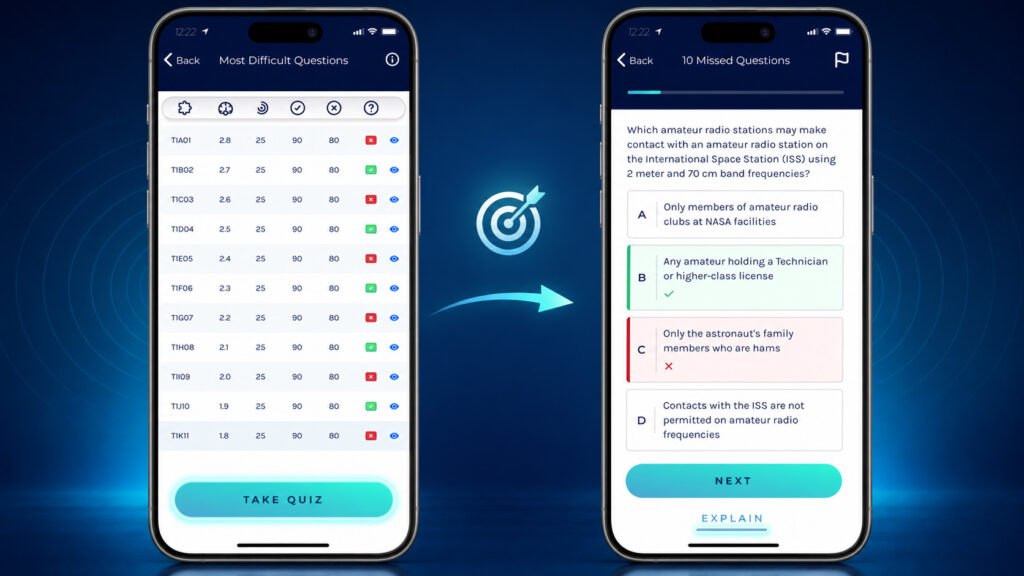
When you are ready to practice, return to the list and tap Take Quiz. The app creates a targeted review using the difficult questions identified from your performance.
Answer each question carefully. When the app shows the correct and incorrect choices, pause long enough to explain the result to yourself. If you need more context, tap Explain before continuing.
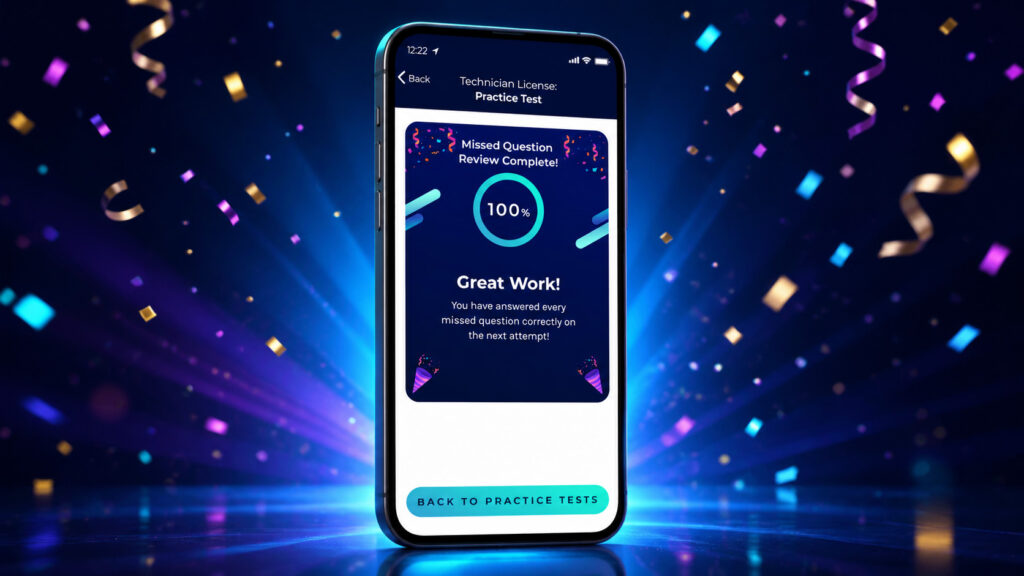
After the quiz, you will see a completion screen. A perfect review is encouraging, but the real goal is durable understanding. Return to full practice tests so you can confirm that the improvement carries over when questions appear in a mixed exam.
A Simple Study Routine That Uses the Feature
Use this repeatable loop to turn your analytics into progress:
-
- Learn the material. Complete the video or text lessons for your license level.
- Create useful data. Take unit quizzes and full practice tests.
- Open Most Difficult Questions. Begin with the questions carrying the highest difficulty scores.
- Review before retesting. Read the full question, inspect your answer history, and revisit the relevant concept.
- Take the focused quiz. Use the Explain option whenever you cannot justify the correct answer.
- Check transfer. Take another full ham radio practice test to see whether the improvement holds in a mixed-question setting.
- Repeat as needed. Let your updated performance guide the next study session.
Short, focused sessions can be especially useful here. Reviewing a small set carefully is often more productive than rushing through a large number of questions without examining why you missed them.
Tips for Getting More Value From Most Difficult Questions
Build a Performance History First
If the list is short or does not yet feel representative, complete more quizzes and practice tests. The feature needs your study activity to identify meaningful patterns.
Review the Concept, Not Just the Answer
Memorizing an answer choice can fail when the choices appear in a different order. Connect the correct answer to the rule, formula, operating practice, or technical concept behind it.
Pay Attention to Repeated Distractors
The question detail view can reveal an incorrect option you choose more than once. Compare it directly with the correct answer and write down the distinction in your own words.
Use Full Practice Tests to Measure Readiness
A focused quiz shows whether you improved on a targeted set. A full practice test gives you a broader view of exam readiness across the complete blueprint.
Update the App
If you do not see the feature or your screens look substantially different, check your app store for the latest Ham Radio Prep update. For account or technical problems, contact the Mobile App Support Center.
Frequently Asked Questions
Focus Your Next Study Session
The Most Difficult Questions feature turns your practice history into a clear next step. Open the dashboard, review the questions at the top of your list, study the reasons behind the correct answers, and use Take Quiz to test your progress.
Ready to find the questions standing between you and a stronger practice score? Download or update the Ham Radio Prep app and start a focused review today.