You don’t need a fancy yagi, preamp, or expensive gear to capture slow-scan TV (SSTV) pictures from the International Space Station. With a basic VHF handheld, a stock antenna, and a decoder app, you can snag real images from space—especially during a high-elevation pass.
Quick Gear List (no special equipment)
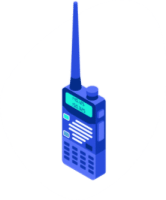
Stock VHF handheld (HT) tuned for 145.800 MHz FM
Smartphone app to decode SSTV — e.g., CQ SSTV (~$3.99 one-time)
ISS tracking app (ISS Detector, Heavens-Above, etc.)
Optional: audio recorder app if your HT doesn’t record receive audio
Step 1 — Pick a high pass
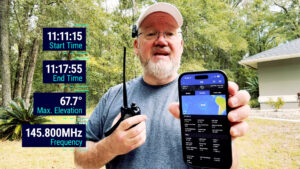
Look for a pass with ≥60° max elevation. High passes come almost overhead, giving stronger signals and more time within the antenna’s sweet spot.
Step 2 — Tune for Doppler
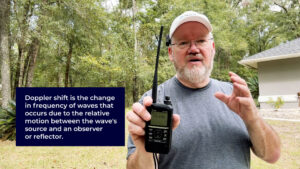
ARISS SSTV downlink is 145.800 MHz (FM). Because the ISS moves ~17,500 mph, you’ll hear Doppler shift. Use a simple three-point plan:
- AOS (approaching): start slightly high at 145.805 MHz
- Overhead: slide to 145.800 MHz
- LOS (receding): drop to 145.795 MHz
Step 3 — Hold the radio the right way
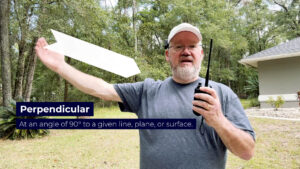
Keep the handheld perpendicular to the ISS antenna path.
- As the pass rises, tilt slightly back; at peak, the signal is nearly overhead; as it descends, tilt forward.
- Open squelch fully so you don’t clip the SSTV tones.
- Record audio (radio recorder or phone)—you can decode live or after the pass.
Step 4 — Decode your image
You have two simple options:
A. Live decode on phone: open CQ SSTV (~$3.99 one-time), select PD120, and let the phone “listen” to the HT speaker.
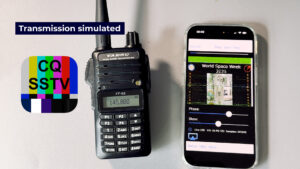
B. Record + decode later: import the WAV/MP3 into PC software or your mobile app.
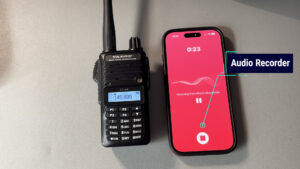
Expect two-minute transmit bursts with ~two minutes off between images—so don’t panic if it’s quiet at AOS.
Pro tips for better results
- Time the pass: Start listening ~2 minutes before AOS; be ready to shift Doppler.
- Use headphones when monitoring and max phone mic gain if decoding live.
- Minimize obstructions: trees and buildings hurt low-elevation copy.
- Keep the antenna vertical unless rotating for polarization nulls.
Common questions (quick answers)
Do I need an external antenna?
Is a license required to receive SSTV?
What mode is ISS SSTV?
Related: Learn how to decode weather satellites with no license required (receive-only). Gear list, quick start, and tips.
Keep learning: Satellites & Space Operations Course
Ready to go beyond stock-handheld SSTV—work FM/linear sats, decode weather birds, and log contacts?
Enroll in the Satellite & Space Operations Course »
Get step-by-step training on tracking, antennas, SDR decoding, operations, and logging.