In this lesson, we’ll cover powering your station, radio operation and controls, accessories and equipment, as well as digital modes like FT8 and DMR.
Powering Your Station
In order to use your ham radio, you need to power it. Handheld ham radios come with built-in batteries, but most ham radio base stations and mobile radios, which are bigger and more powerful, require 13.8V DC power input.
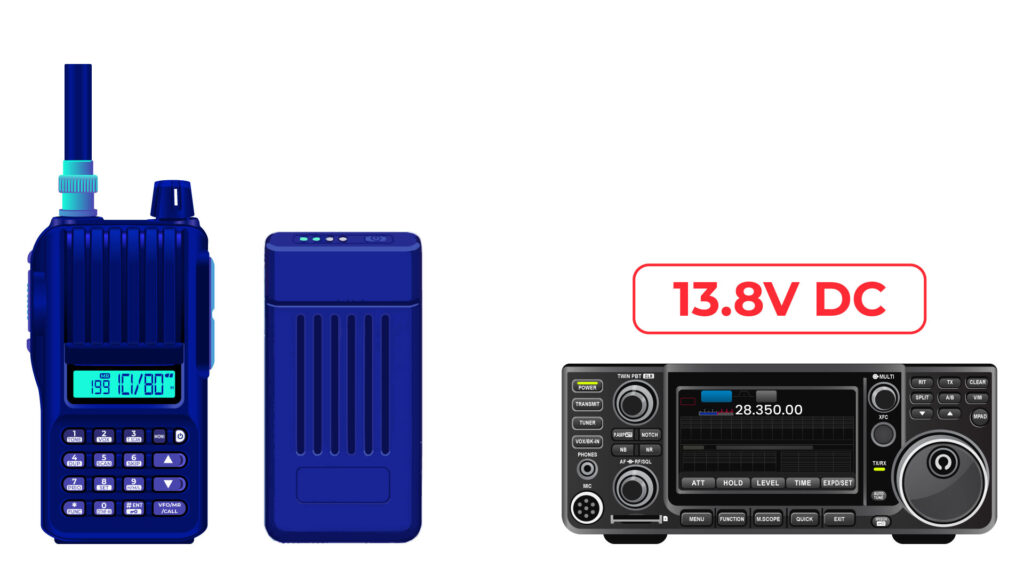
Ham radios use 13.8V DC is because that is the standard voltage output of your car battery, and ham radios were designed to be mobile-ready.
So you can’t just plug up a ham radio to a 120V outlet in your house; you need to use a power supply to convert the 120V AC from your home outlet to 13.8V DC for the ham radio. Or, you can use a 13.8V battery, like the one in your car, or LifePO4 batteries, which are the best for portable operations.
You also need to make sure that whatever power supply you are using can supply enough current to power your radio.
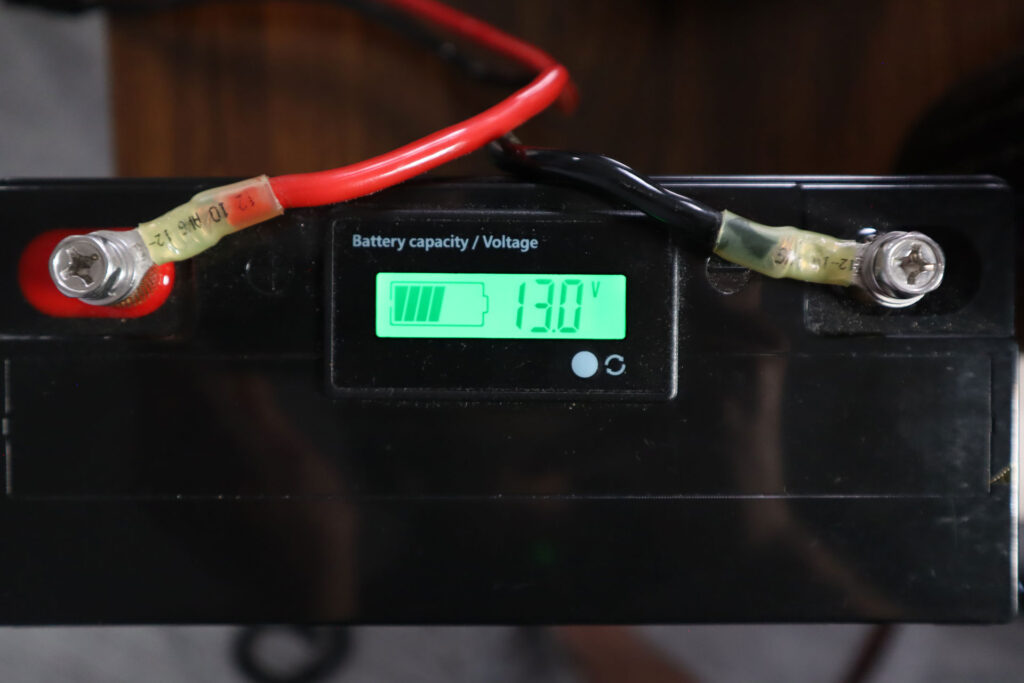
13.8 volts at 12 amperes is an appropriate power supply rating for a typical 50-watt output mobile FM transceiver, since a 50-watt FM radio can require up to 10-12 amps of current.
Short, heavy-gauge wires are used for a transceiver’s DC power connection to minimize voltage drop when transmitting, like these red and black 10-gauge power cables that are commonly used.
If you’re using a portable battery, you should also consider the battery capacity, which is like the size of the fuel tank of the battery.
Battery capacity is measured in ampere-hours, and the bigger the capacity, the longer your battery will last.
To determine the length of time that equipment can be powered from a battery, divide the battery ampere hour rating by the average current draw of the equipment.
For example, if you have a 20 Ah battery, and you draw an average of 1 amp of current, you can divide 20 ampere hours by 1 amp to see that your battery will last 20 hours.
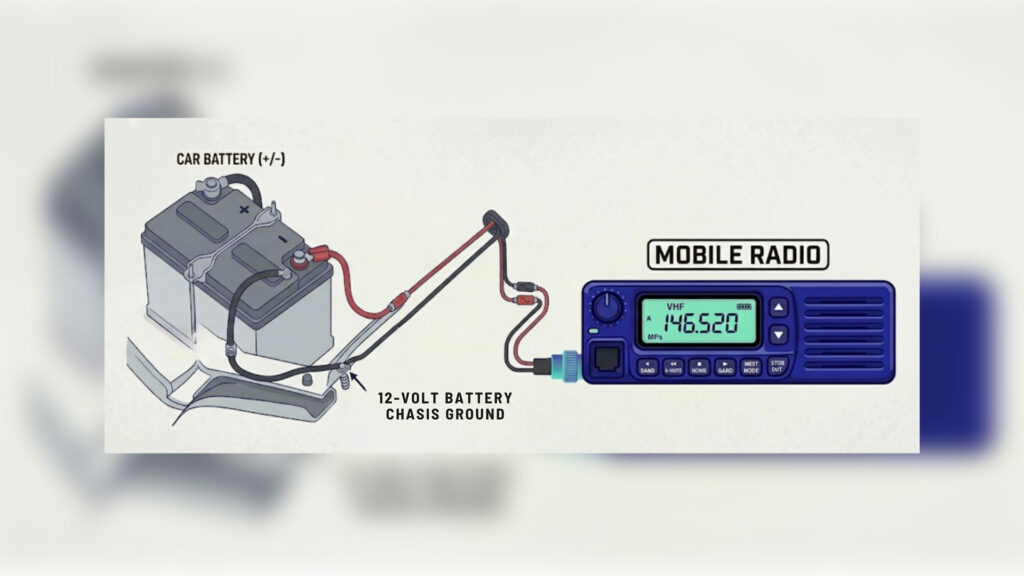
If you want to power your mobile radio off of your vehicle’s battery, there are some special considerations.
The negative power return should be connected to the 12-volt battery chassis ground, which is the point where the negative terminal of the battery connects to the vehicle frame.
Bonding
In ham radio, bonding is the practice of connecting all the metal components of your station together so they are at the same electrical potential, which helps reduce noise and protect against lightning.
In a ham radio station that has multiple radios, amplifiers, and other connected equipment, many ham radio operators will have a single copper bus bar that acts as the station’s RF ground, and they’ll connect all of the equipment grounds to the same point.
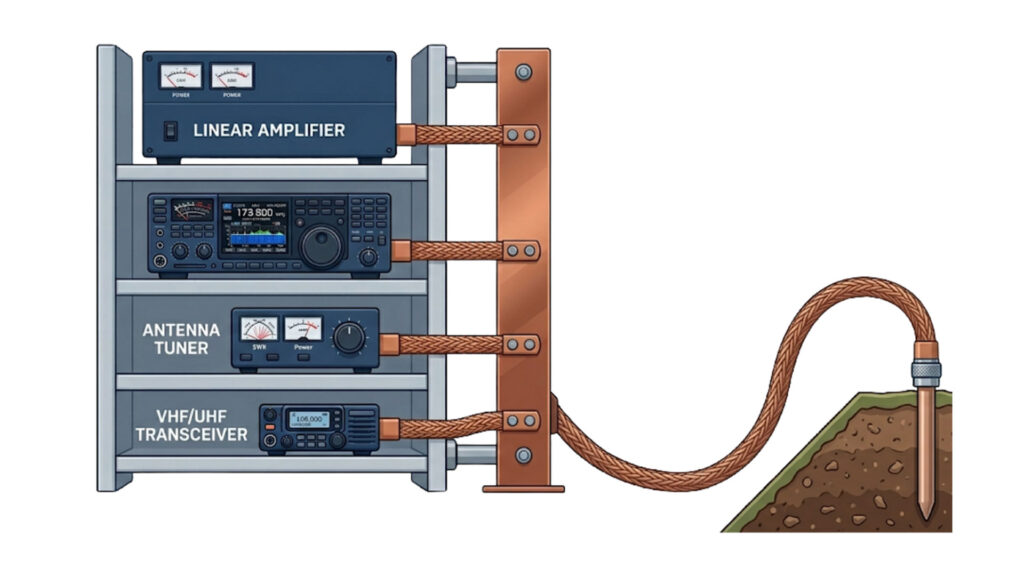
However, you shouldn’t just use regular wire for your ground connections.
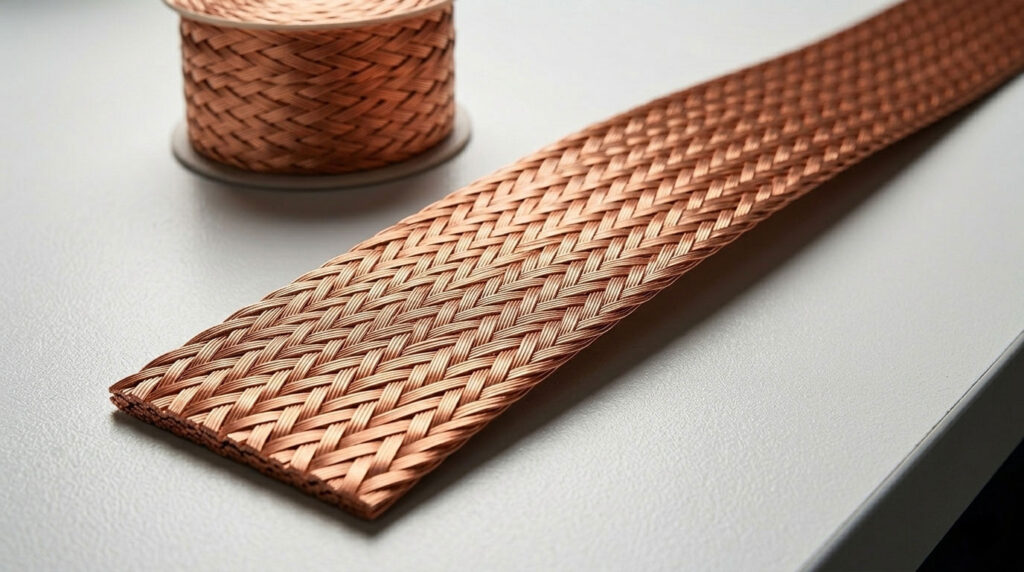
Flat copper strap is the best conductor for bonding at RF, because the flat strap has a large surface area, which reduces resistance.
Radio Operation
Setting the Frequency
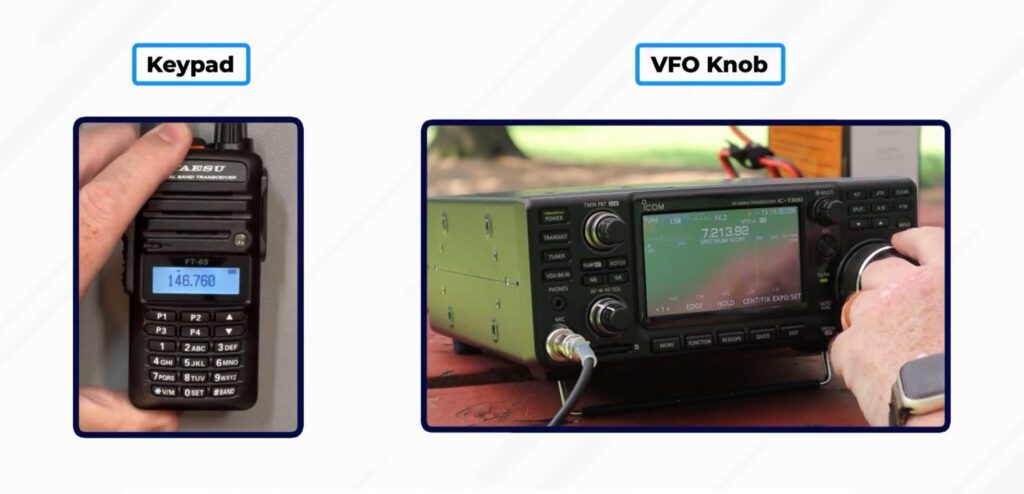
The most basic radio operation is setting the frequency, and there are two main ways to enter the frequency: the keypad or VFO knob.
The keypad is a button entry, and the VFO knob is the dial that you can use to change the frequency, which stands for Variable Frequency Oscillator.
Ideally, you want to set your frequency exactly to the frequency you are trying to receive. When an FM signal is received slightly off frequency, the audio becomes distorted. The keyword here is distorted – FM signals do not change pitch when received slightly off frequency.
However, on SSB aka single sideband, being slightly off frequency can cause the pitch to sound too low or too high, like Mickey Mouse.
If the voice pitch returning to your CQ call seems too high or low on a single sideband, you can use the RIT or Clarifier control, which adjusts your receive frequency slightly without changing your transmit frequency.
To remember this, think: If the voice pitch is too high or low, clarify it with the RIT or clarifier.
Squelch
Squelch is the control on the radio that keeps your speakers turned off when there is no signal being received, to prevent your speakers from always playing static.
However, if you are trying to hear a really weak FM signal, you can set the squelch threshold so that the receiver output audio is on all the time. If you set the squelch all the way down, you will hear everything the radio is receiving, even static, to help you hear very weak signals.
Filters & Bandwidth
Different modes of operation in ham radio use different amounts of bandwidth. CW, or Morse code, has a really small bandwidth, typically around 150 Hz, while SSB voice usually has a much larger bandwidth by comparison, of 2.4kHz to 3kHz.
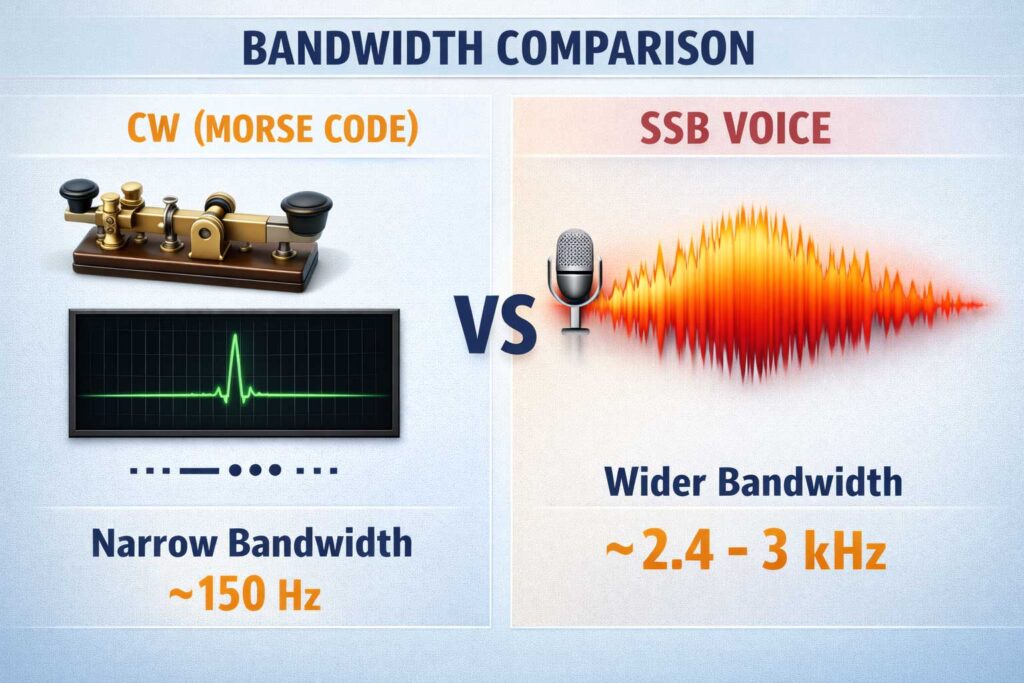
An advantage of having receiver filter bandwidths in a multimode transceiver is that it permits noise or interference reduction by selecting a bandwidth matching the mode.
If you’re receiving CW, for instance, it’s better to have a bandwidth of just 150 Hz to minimize the noise.
For SSB, 2400 Hz is the filter bandwidth that provides the best signal-to-noise ratio, since it matches the bandwidth of the signal you’re receiving.
Microphone Gain
Another important setting is your microphone gain. Usually, the default microphone gain is just fine. If the microphone gain is excessive, it can lead to distorted transmitted audio on SSB transmissions.
Scanning
Many FM transceivers have a scanning function, which tunes through a range of frequencies to check for activity. Just like a police scanner, it scans through a range of frequencies to find activity.
Accessories & Equipment
In addition to your radio and antenna, there are some critical pieces of equipment that really help you as a ham radio operator.
SWR Meter
One of them is an SWR meter, which stands for Standing Wave Ratio. An SWR meter measures your antenna system and makes sure it is working properly. An SWR reading of one is a perfect antenna match to the frequency you want to operate on, and the closer to one, the better.
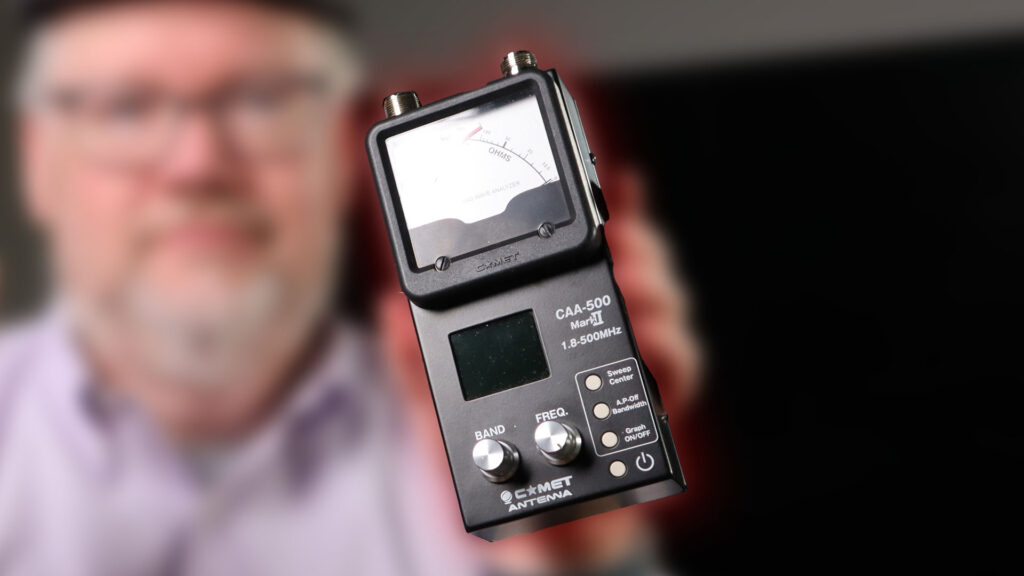
When selecting an SWR meter, you should consider the frequency and power level at which the measurements will be made, because antennas resonate at different frequencies.
RF Power Meter
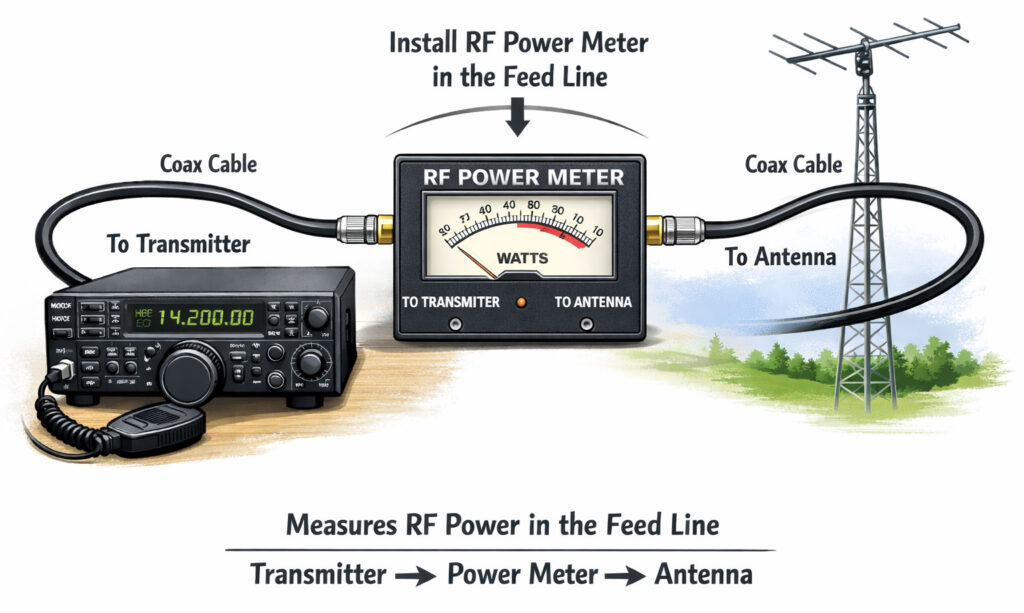
An RF power meter measures the amount of power being sent from your transmitter to your antenna. So obviously, you need to install it in the feed line, between the transmitter and antenna.
Electronic Keyer
There are various types of devices you can use to send Morse code, called keys.
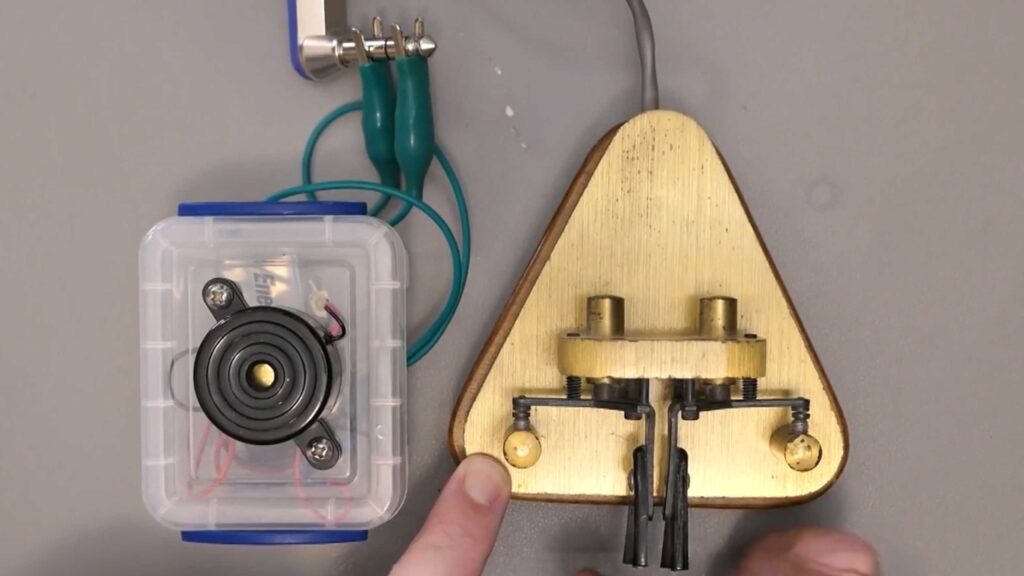
An electronic keyer is a device that assists in manual sending of Morse code. Usually, an electronic keyer has a paddle, and it automatically generates perfectly timed dots and dashes. One side generates the dot, or short sound, and the other side generates the dash, the long sound.
Digital Modes Interfaces
Many modern ham radio operators connect their radios to computers for remote operation and operating digital modes like FT8.
FT8 Operations and Connecting to a Computer
When using a computer-radio interface for digital mode operation like FT8, the signals used are the receive audio, transmit audio, and transmitter keying. This is easy to remember because the computer is controlling the audio to and from your radio to send the digital signals, and also transmitter keying, which just means it is controlling when the radio transmits.
The audio input and output of the transceiver, aka your radio, are connected to the audio output and input of a computer running FT8 software. You need to connect the audio input and output, because your computer is going to create a digital audio signal, and send it to the radio to send over the air. Then, when your radio receives a digital signal back, it sends it to your computer to decode.
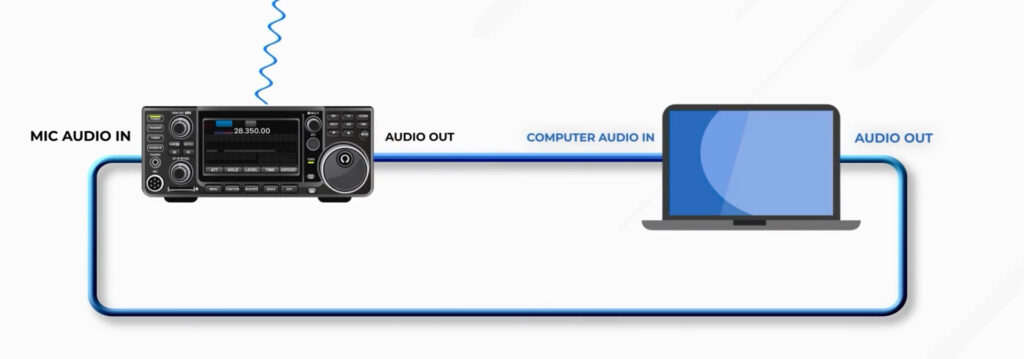
You should connect the computer “line in” to the transceiver speaker connector, because the computer needs to hear the sounds coming from the radio so it can decode them. You can think of this like your radio is “speaking” to your computer in another language, and your computer is decoding what it hears.
DMR, D-Star, and Hotspots
While FT8 is a common digital mode on HF, DMR and D-Star are two of the most popular digital modes on VHF and UHF.
To operate DMR, you need a “code plug” which is the configuration data loaded onto your radio to access repeaters and talkgroups. This is the master file that contains all of the radio settings.
DMR organizes users into talk groups, like virtual chat rooms, and each one has a unique identification code. A specific group of stations is selected on a DMR digital voice transceiver by entering the group’s identification code.
D-Star is a digital network that is similar to DMR. As with almost all digital networks, you must program your call sign into the digital transceiver before transmitting.
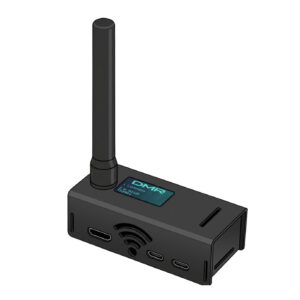
In many locations, you might be out of range of a physical repeater. A local hotspot allows you to connect to global networks like D-Star, DMR, and Fusion right from your home. A digital mode hotspot performs communication with a digital voice or data network.
Lesson Recap
In this lesson, you learned that 13.8V at 12 amperes is an appropriate power supply rating for a typical 50-watt mobile FM transceiver, and that short heavy-gauge wires minimize voltage drop. You learned that you can use both the keypad or the VFO knob to set the frequency on a radio, and that if the frequency isn’t set correctly on FM, the audio becomes distorted. On SSB, if your microphone gain is excessive, it can also lead to distorted transmit audio.
Different modes of operation use different bandwidths, and for SSB, 2400 Hz is the ideal filter bandwidth.
We discussed several types of equipment, such as an RF power meter that is installed in the feed line between the transmitter and antenna, and an electronic keyer that helps send Morse code.
Finally, we discussed digital modes like FT8, where your computer sends and receives audio signals to the radio, and DMR, which uses a “code plug” to load all the configuration data needed to access repeaters and talkgroups.